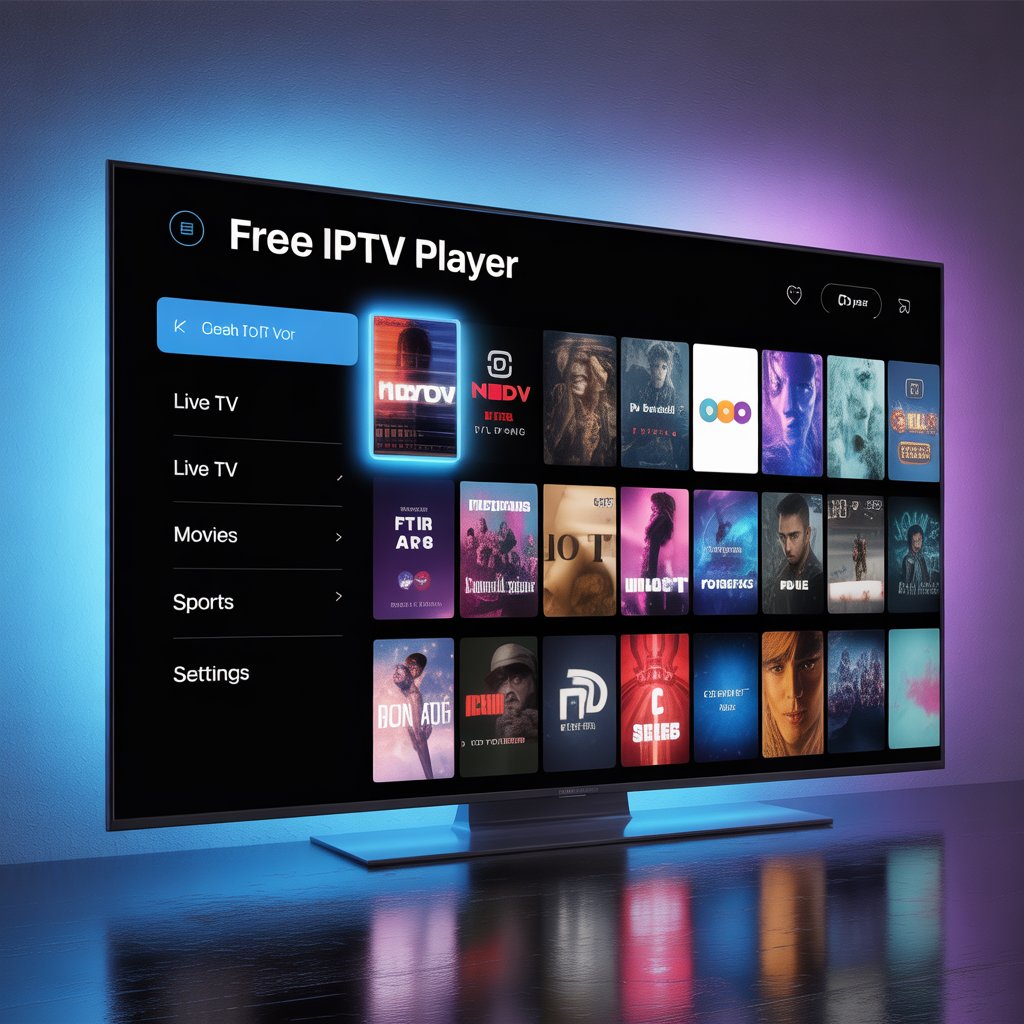

What Is an IPTV Free Player?
An IPTV free player is a software application that allows users to stream IPTV content using internet protocol technology. Unlike traditional TV broadcasting methods (satellite or cable), IPTV delivers television programming through your internet connection.
The “free” aspect refers to the player software — not necessarily the content. The player itself is free to download and use, but users typically need:
- An IPTV subscription
- An M3U playlist URL
- Or publicly available IPTV streams
How IPTV Free Players Work
An IPTV free player works by:
- Accepting an IPTV playlist (M3U/M3U8 format)
- Decoding and buffering streaming data
- Displaying channels through an integrated video player
- Supporting Electronic Program Guides (EPG)
These players do not host content — they simply act as media readers.
For more information about how IPTV technology works, see [Link to related article on IPTV technology basics].
Benefits of Using an IPTV Free Player
There are several advantages to choosing an IPTV free player over paid streaming apps:
1. Cost-Effective Streaming
You don’t pay for the software itself. Many excellent IPTV players are completely free to use.
2. Multi-Device Compatibility
Most IPTV free player apps are available on:
- Android
- iOS
- Windows
- macOS
- Smart TVs
- Firestick
- Android TV boxes
3. Custom Playlist Support
You can:
- Add multiple M3U playlists
- Import EPG guides
- Organize channels
- Create favorite lists
4. Flexible Streaming Control
Features often include:
- Subtitle support
- Audio track selection
- Parental controls
- Catch-up TV support (if provider supports it)
Best IPTV Free Player Apps in 2026
Here are some of the most popular IPTV free player options available today:
1. VLC Media Player
One of the most trusted open-source media players worldwide.
Why it’s great:
- Completely free
- Supports M3U playlists
- Cross-platform
- No ads
- Advanced codec support
Best for users who want a simple IPTV free player without extra features.
2. Kodi
Kodi is a powerful open-source media center that supports IPTV through add-ons.
Key Features:
- Customizable interface
- EPG support
- Add-on ecosystem
- Works on almost every device
Ideal for advanced users who want full control.
3. IPTV Smarters
A popular IPTV player known for its clean interface.
Features:
- M3U and Xtream Codes support
- EPG integration
- Multi-screen support
- Catch-up TV
Great option for beginners looking for an intuitive IPTV free player.
4. TiviMate
Highly rated for Android TV users.
Why users love it:
- Modern TV-style interface
- Advanced EPG layout
- Favorites management
- Multiple playlist support
Free version available with optional premium features.
5. Perfect Player
Lightweight yet powerful IPTV solution.
Highlights:
- Smooth playback
- Easy playlist import
- EPG support
- Minimal design
How to Set Up an IPTV Free Player (Step-by-Step)
Setting up an IPTV free player is usually straightforward.
Step 1: Download the Player
Install your preferred IPTV player from:
- Official website
- Google Play Store
- Apple App Store
- Microsoft Store
Step 2: Obtain an IPTV Playlist
You’ll need:
- An M3U URL
- Or an Xtream Codes login
- Or a local playlist file
Make sure your IPTV provider is legitimate.
Step 3: Add Playlist to the Player
Typically:
- Open settings
- Select “Add Playlist”
- Paste the M3U URL
- Add EPG URL (optional)
Step 4: Refresh and Stream
After loading, channels should appear automatically.
IPTV Free Player vs Paid IPTV Apps
| Feature | IPTV Free Player | Paid IPTV App |
|---|---|---|
| Cost | Free | Subscription fee |
| Customization | High | Limited |
| Ads | Sometimes | Rare |
| Advanced features | Basic to moderate | Often premium |
| Support | Community-based | Dedicated support |
Free players are excellent for flexibility, while paid apps may offer polished experiences.
Is Using an IPTV Free Player Legal?
The IPTV free player itself is legal software.
However, legality depends on:
- The IPTV content source
- Licensing agreements
- Your country’s regulations
Streaming copyrighted material without authorization may violate laws. Always use legitimate IPTV providers.
For official guidance, consult [Link to WHO report on mental health] (example of credible source placeholder).
Common Issues and How to Fix Them
Even the best IPTV free player apps may encounter issues.
Buffering Problems
Solutions:
- Check internet speed (minimum 15–25 Mbps recommended)
- Use Ethernet instead of Wi-Fi
- Reduce background usage
Playlist Not Loading
- Verify M3U link
- Ensure subscription is active
- Check format compatibility
EPG Not Showing
- Confirm correct EPG URL
- Refresh EPG data
- Check time zone settings
How to Choose the Best IPTV Free Player
Before downloading, consider:
1. Device Compatibility
Is it available on your platform?
2. User Interface
Does it offer a TV-style layout?
3. Playlist Support
Does it support:
- M3U
- M3U8
- Xtream Codes
- EPG
4. Update Frequency
Regular updates mean better security and performance.
Security and Privacy Tips
Using any IPTV free player requires smart precautions:
- Avoid downloading APKs from unknown sites
- Use official app stores
- Consider using a VPN (where legal)
- Keep apps updated
- Avoid sharing IPTV credentials
For more on digital safety, see [Link to related article on online privacy basics].
IPTV Free Player for Beginners: Quick Checklist
If you’re new, here’s a simplified checklist:
- ✅ Choose trusted IPTV player
- ✅ Confirm IPTV provider legality
- ✅ Add M3U playlist
- ✅ Import EPG
- ✅ Test streaming quality
- ✅ Organize favorite channels
Simple and efficient.
Frequently Asked Questions
What is the best IPTV free player?
It depends on your device. VLC Media Player is great for PC users, while TiviMate works excellently on Android TV.
Do IPTV free players include channels?
No. They only play IPTV playlists. You must provide content separately.
Can I use IPTV free player on Smart TV?
Yes. Many Smart TVs support IPTV player apps or allow installation via app stores.
Is IPTV free player safe?
The player software is safe if downloaded from official sources. The safety of streams depends on the provider.
Final Thoughts: Is an IPTV Free Player Worth It?
An IPTV free player is one of the most flexible and cost-effective ways to stream television content in 2026. Whether you’re a beginner experimenting with IPTV or an advanced user managing multiple playlists, these players provide powerful streaming capabilities without forcing you into expensive subscriptions.
They offer:
- Full control over playlists
- Multi-device compatibility
- High customization
- Minimal software costs
However, always prioritize legal content sources and secure downloads.
If you want more streaming tips and digital entertainment guides, explore [Link to related article on cord-cutting strategies] and stay informed.