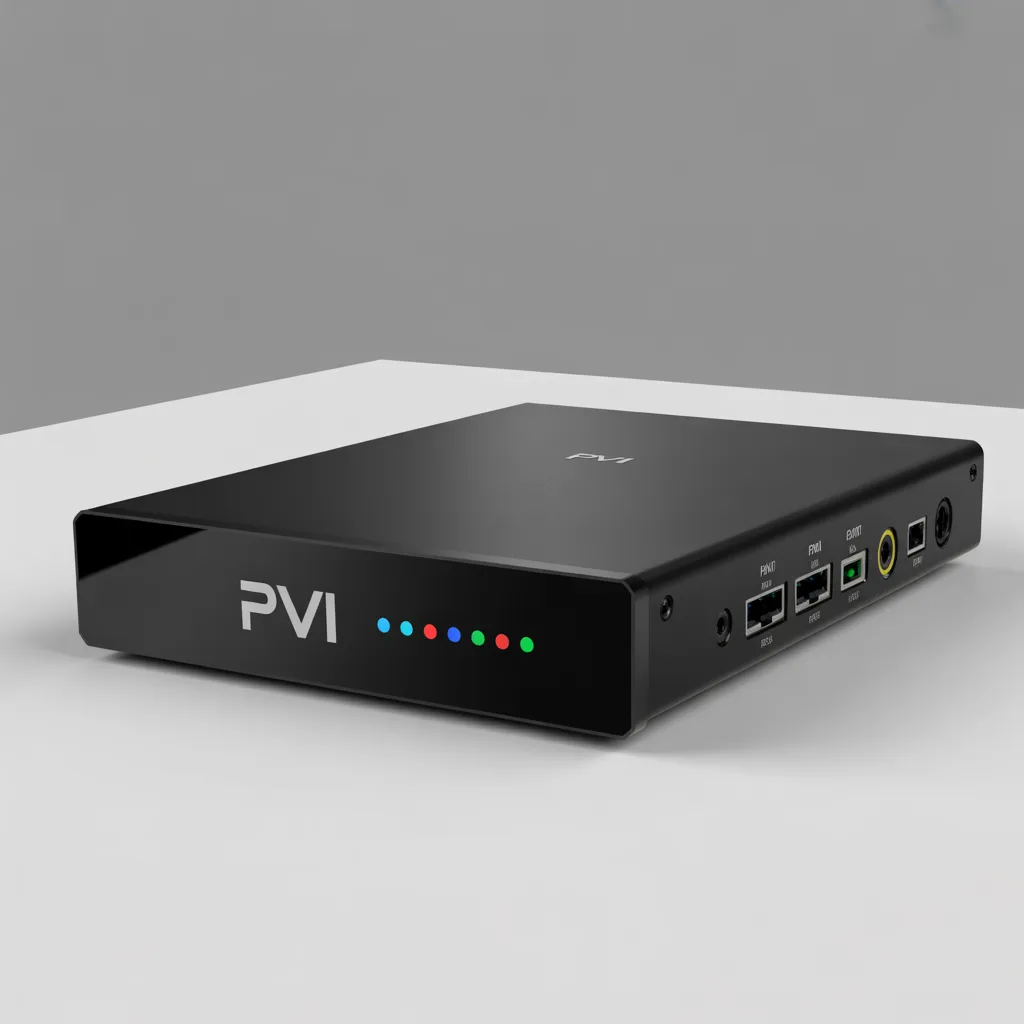

A PVI IPTV encoder box is a hardware device that converts HDMI, SDI, or AV video signals into digital IP streams for online broadcasting, IPTV systems, and live streaming platforms. It is commonly used by broadcasters, content creators, hotels, schools, and IPTV providers to deliver high-quality video over networks.
If you’re planning to build or improve a streaming setup, understanding how a PVI IPTV encoder box works can help you choose the right device and maximize streaming quality.
What Is a PVI IPTV Encoder Box?
A PVI IPTV encoder box is a professional video encoding device designed to transform raw video input into compressed digital formats such as H.264 or H.265 (HEVC). These formats allow video to be transmitted efficiently over the internet without sacrificing quality.
Unlike software encoders, hardware encoders like PVI IPTV boxes offer:
- Stable 24/7 operation
- Lower latency
- Better compression efficiency
- Reduced CPU usage
- Higher reliability for professional environments
These encoder boxes are widely used in IPTV headends, live event broadcasting, security monitoring, and digital TV distribution systems.
How a PVI IPTV Encoder Box Works
Understanding the workflow of a PVI IPTV encoder box helps you see why it is essential for IPTV infrastructure.
Basic Encoding Process
The process typically follows these steps:
- Video Input Reception
- HDMI cameras
- Satellite receivers
- Media players
- Cable TV boxes
- Video Compression
- Converts raw video into H.264 or H.265
- Reduces bandwidth usage
- Maintains image clarity
- Stream Conversion
- Converts to IP protocols like:
- RTMP
- RTSP
- UDP
- HTTP
- HLS
- Converts to IP protocols like:
- Network Distribution
- Sends streams to IPTV middleware
- Broadcasts to CDN servers
- Delivers content to users
This makes the PVI IPTV encoder box a critical bridge between traditional video sources and modern streaming systems.
Key Features of a PVI IPTV Encoder Box
When selecting a PVI IPTV encoder box, several important features determine performance and reliability.
Video Encoding Capabilities
Most modern encoder boxes support:
- H.264 AVC encoding
- H.265 HEVC encoding
- MPEG-4 compression
- Dual stream output
- Multi-bitrate streaming
HEVC encoding is especially valuable because it can reduce bandwidth consumption by up to 50% compared to older formats.
Input Options
A good PVI encoder typically includes:
- HDMI input
- SDI input
- CVBS input
- Audio input (AAC/MP3)
- USB media input (some models)
Multiple inputs allow flexible integration into existing broadcast environments.
Streaming Protocol Support
Professional IPTV encoders usually support:
- RTMP (YouTube, Facebook streaming)
- RTSP (security systems)
- UDP multicast (IPTV networks)
- SRT (secure transport)
- HLS adaptive streaming
These protocols make the PVI IPTV encoder box versatile across multiple streaming environments.
Network Connectivity
Standard connectivity includes:
- Gigabit Ethernet
- Web management interface
- Remote configuration
- SNMP monitoring
- API integration
Remote management is essential for IPTV operators managing multiple devices.
Benefits of Using a PVI IPTV Encoder Box
Investing in a PVI IPTV encoder box offers many advantages compared to software encoding.
Reliability for Continuous Streaming
Hardware encoders are designed for:
- 24/7 broadcasting
- Thermal stability
- Industrial usage
- Minimal crashes
This is why IPTV providers prefer hardware solutions.
Lower Latency Performance
Hardware encoding reduces delays in live streaming environments such as:
- Sports broadcasting
- Online education
- Church streaming
- Live events
Lower latency improves viewer experience.
Professional Video Quality
Hardware encoders maintain:
- Better bitrate control
- Cleaner compression
- Stable frame rates
- Color accuracy
This ensures IPTV subscribers receive high-quality content.
Scalability
The PVI IPTV encoder box can easily scale for:
- Multi-channel IPTV systems
- Hotel TV systems
- Enterprise streaming
- Campus networks
Scaling often involves simply adding more encoder units.
Common Use Cases of PVI IPTV Encoder Boxes
These devices are used across many industries.
IPTV Service Providers
IPTV operators use encoder boxes to:
- Convert satellite channels
- Stream local TV stations
- Deliver VOD libraries
- Manage channel distribution
Example related topic:
[Link to related article on IPTV headend systems]
Hotels and Hospitality
Hotels use IPTV encoders for:
- Guest TV systems
- Information channels
- Advertising displays
- Internal communication
Education Institutions
Schools and universities use them for:
- Lecture capture
- Remote classes
- Campus TV channels
- Training programs
Corporate Streaming
Businesses use IPTV encoders for:
- Internal communications
- Product launches
- Training sessions
- Digital signage
Religious Organizations
Many churches and mosques stream services using encoder boxes for online audiences.
PVI IPTV Encoder Box vs Software Encoders
Understanding the difference helps buyers make informed decisions.
Hardware Encoder Advantages
A PVI IPTV encoder box provides:
- Dedicated processing power
- Better stability
- Reduced overheating
- Consistent encoding quality
- Independent operation
Software Encoder Advantages
Software encoders may offer:
- Lower cost
- Easy updates
- Flexible configurations
- No hardware purchase
Which Should You Choose?
Choose hardware if:
- You stream professionally
- You need reliability
- You run IPTV services
- You need continuous operation
Choose software if:
- You stream occasionally
- Budget is limited
- You test new workflows
How to Choose the Best PVI IPTV Encoder Box
Choosing the right encoder depends on several technical factors.
Check Encoding Format Support
Look for:
- H.265 support
- H.264 fallback
- AAC audio encoding
- Multi-profile support
HEVC is strongly recommended for future-proof streaming.
Evaluate Resolution Support
Modern IPTV requires:
- 1080p support
- 4K capability (optional)
- 60fps encoding
- HDR compatibility (advanced models)
Consider Bitrate Control Options
Important bitrate features include:
- CBR (Constant bitrate)
- VBR (Variable bitrate)
- ABR (Adaptive bitrate)
These settings impact bandwidth usage.
Management Interface
Choose devices with:
- Web GUI interface
- Remote firmware updates
- Backup configuration
- Monitoring tools
Ease of management saves time.
Compatibility With IPTV Middleware
Ensure your PVI IPTV encoder box works with:
- Xtream UI
- Stalker Middleware
- Ministra
- Flussonic
- Wowza
Example external reference:
[Link to professional IPTV streaming standards documentation]
How to Set Up a PVI IPTV Encoder Box
Setting up an encoder is usually straightforward.
Basic Setup Steps
Follow this typical setup process:
Step 1 – Connect Video Source
Connect:
- Camera HDMI output
- Set-top box
- Satellite receiver
Step 2 – Connect Network
Connect Ethernet to:
- Router
- Switch
- IPTV server network
Step 3 – Access Web Interface
Usually involves:
- Finding device IP
- Opening browser
- Logging into admin panel
Step 4 – Configure Encoding Settings
Configure:
- Resolution
- Bitrate
- Codec
- Audio settings
Step 5 – Configure Stream Output
Add:
- RTMP server URL
- UDP multicast address
- RTSP destination
Step 6 – Test the Stream
Verify:
- Stream stability
- Audio sync
- Bitrate performance
Example related setup:
[Link to related article on IPTV streaming configuration]
Best Practices for Optimizing IPTV Encoder Performance
Optimizing your PVI IPTV encoder box improves stream quality and reduces technical issues.
Use Proper Bitrate Settings
Recommended examples:
| Resolution | Recommended Bitrate |
|---|---|
| 720p | 2–4 Mbps |
| 1080p | 4–8 Mbps |
| 4K | 15–25 Mbps |
Ensure Stable Network
Use:
- Wired connections
- Managed switches
- VLAN separation
- QoS prioritization
Avoid Wi-Fi for professional streaming.
Maintain Firmware Updates
Always:
- Install latest firmware
- Apply security patches
- Monitor vendor updates
Monitor Device Temperature
Ensure:
- Good airflow
- Rack spacing
- Cooling systems
Heat is a major cause of encoder failure.
Troubleshooting Common PVI IPTV Encoder Box Issues
Even professional hardware may experience issues.
No Video Signal
Possible causes:
- HDMI handshake issues
- Wrong resolution
- Cable failure
Solutions:
- Change resolution
- Replace cable
- Restart encoder
Stream Not Playing
Possible causes:
- Wrong protocol
- Firewall blocking
- Wrong URL
Solutions:
- Verify ports
- Check server settings
- Test with VLC
Audio Problems
Possible causes:
- Unsupported codec
- Sample rate mismatch
- Audio disabled
Solutions:
- Switch to AAC
- Set 48kHz audio
- Enable audio encoding
Security Considerations for IPTV Encoder Boxes
Security is often overlooked but essential.
Change Default Passwords
Always:
- Change admin login
- Disable guest access
- Restrict remote login
Use Network Segmentation
Place encoders in:
- Dedicated VLAN
- Restricted subnet
- Firewalled environment
Enable Secure Protocols
Use:
- SRT streaming
- HTTPS management
- VPN remote access
Example external reading:
[Link to cybersecurity best practices report]
Future Trends in IPTV Encoding Technology
The IPTV encoder market continues evolving.
AI Video Optimization
New encoders may include:
- AI bitrate optimization
- Scene detection
- Smart compression
8K Streaming Preparation
Future devices may support:
- 8K encoding
- Advanced HDR
- Next-gen codecs
Cloud Integration
New IPTV workflows include:
- Cloud transcoding
- Remote encoder management
- Hybrid encoding models
AV1 Codec Support
AV1 may become the next standard for bandwidth efficiency.
Frequently Asked Questions About PVI IPTV Encoder Boxes
What does a PVI IPTV encoder box do?
It converts video signals into IPTV streams for internet broadcasting and network distribution.
Do I need a PVI IPTV encoder box?
You need one if you:
- Operate IPTV services
- Run live streaming channels
- Distribute TV over networks
- Broadcast professionally
Can beginners use IPTV encoder boxes?
Yes. Most include:
- Simple web interfaces
- Preset configurations
- Documentation guides
How much does a PVI IPTV encoder box cost?
Prices vary depending on:
- Channel count
- Resolution support
- Codec capability
- Brand reputation
Typical ranges:
- Entry level: $150–$400
- Professional: $500–$2000+
Final Thoughts: Is a PVI IPTV Encoder Box Worth It?
A PVI IPTV encoder box is an essential tool for anyone serious about IPTV distribution or professional streaming. Its stability, efficiency, and scalability make it a strong investment for broadcasters and organizations.
If your goal is reliable streaming with professional quality, hardware encoding remains one of the smartest infrastructure decisions you can make.
Whether you’re building a small IPTV network or scaling a commercial platform, choosing the right encoder can dramatically improve performance and viewer satisfaction.
Meta Description (SEO)
PVI IPTV encoder box guide: features, setup, benefits, and buying tips. Learn how IPTV encoder boxes work and choose the best device for professional streaming.
Call to Action
Ready to build a professional IPTV streaming setup?
Start by choosing the right PVI IPTV encoder box, optimize your network, and ensure your streaming infrastructure is future-ready.
Next steps you can take:
- Read: [Link to related article on IPTV server infrastructure]
- Learn: [Link to related article on HEVC vs H264 encoding]
- Explore: [Link to IPTV bandwidth optimization guide]