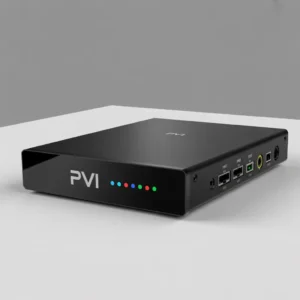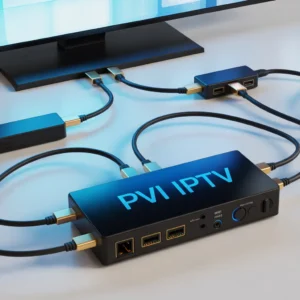
A Vecaster IPTV encoder box is a professional hardware device that converts HDMI or SDI video signals into IP streams for IPTV broadcasting, live streaming, and content distribution. It is widely used by broadcasters, churches, schools, and content creators who need reliable, high-quality video streaming.
Introduction to the Vecaster IPTV Encoder Box
The vecaster iptv encoder box is one of the most reliable hardware encoding solutions for converting video sources into live IP streams. Whether you’re broadcasting live events, running an IPTV service, or streaming content online, this device provides a stable and professional solution compared to software encoders.
Unlike basic streaming tools, Vecaster devices are designed for 24/7 operation, low latency, and high video quality. These features make them ideal for businesses, content creators, and organizations that depend on uninterrupted streaming.
In this complete guide, you’ll learn everything about Vecaster IPTV encoders including features, benefits, setup steps, technical specifications, and how to choose the right model.
What Is a Vecaster IPTV Encoder Box?
A Vecaster IPTV encoder box is a hardware encoder that converts video signals from devices like:
- Cameras
- TV receivers
- Computers
- Media players
- Gaming consoles
Into IPTV streaming formats such as:
- RTMP
- RTSP
- HLS
- UDP
- HTTP
This allows video to be distributed across networks, websites, IPTV platforms, or streaming services.
Simple definition
Vecaster IPTV encoder box = Video input → Compression → Network stream → IPTV distribution
How a Vecaster IPTV Encoder Works
Understanding how a Vecaster IPTV encoder box works helps you see why it is preferred over software encoding solutions.
Basic workflow:
- Video source connects via HDMI or SDI
- Encoder compresses video using H.264 or H.265
- Device converts video into IP packets
- Stream is transmitted over network
- IPTV server distributes content to viewers
Key encoding technologies used:
- H.264 AVC compression
- H.265 HEVC compression
- AAC audio encoding
- Low latency streaming protocols
This process ensures:
- Reduced bandwidth usage
- High video quality
- Smooth playback
- Stable broadcasting
Main Features of Vecaster IPTV Encoder Boxes
Most Vecaster IPTV encoder box models include professional broadcasting features.
Core hardware features:
- HDMI input support
- SDI input (pro models)
- LAN network port
- Audio embedding
- OLED display
- Web management panel
Streaming features:
- RTMP streaming support
- IPTV multicast support
- SRT streaming (new models)
- Dual stream output
- Bitrate control
- Resolution scaling
Advanced functions:
- Logo overlay
- Text overlay
- Time watermark
- Snapshot capture
- Stream backup
- Remote firmware upgrade
These features make Vecaster encoders suitable for professional environments.
Benefits of Using a Vecaster IPTV Encoder Box
There are many reasons professionals choose a Vecaster IPTV encoder box instead of software solutions.
Reliability
Hardware encoders are more stable because:
- No operating system crashes
- No software conflicts
- Continuous operation capability
- Industrial design
Better performance
Advantages include:
- Lower CPU usage
- Dedicated encoding chips
- Faster processing
- Stable bitrate control
Professional quality
You also get:
- Broadcast quality encoding
- Color accuracy
- Low latency transmission
- Consistent stream quality
Security
Hardware encoding reduces risks like:
- Malware issues
- System crashes
- Unauthorized software access
Popular Vecaster IPTV Encoder Box Models
Vecaster offers multiple encoder models depending on needs and budget.
Entry-level models
Best for:
- Small IPTV systems
- YouTube streaming
- Education streaming
- Small businesses
Common specs:
- 1080p encoding
- HDMI input
- H.264 support
- Basic RTMP streaming
Mid-range models
Ideal for:
- Professional streaming
- Churches
- IPTV providers
- Corporate events
Features include:
- H.265 support
- Dual stream output
- Bitrate tuning
- Logo insertion
Professional broadcast models
Designed for:
- TV stations
- Large IPTV platforms
- Multi-channel encoding
- Data centers
Advanced capabilities:
- 4K encoding
- SDI inputs
- Multi-protocol streaming
- Redundant streaming
Vecaster IPTV Encoder Box Technical Specifications
Typical specifications of a Vecaster IPTV encoder box may include:
Video specifications:
- Input resolution:
- 480p
- 720p
- 1080p
- 4K (select models)
- Encoding formats:
- H.264
- H.265
Audio specifications:
- AAC
- MP3
- MPEG audio
- Bitrate adjustment
Network specifications:
- Gigabit Ethernet
- DHCP support
- Static IP configuration
- Multicast support
Control options:
- Web UI management
- Remote configuration
- Firmware upgrade system
How to Set Up a Vecaster IPTV Encoder Box
Setting up a Vecaster IPTV encoder box is straightforward.
Step-by-step installation guide:
Step 1: Connect video source
Connect your:
- Camera
- TV box
- Computer
Using HDMI or SDI cable.
Step 2: Connect network
Use an Ethernet cable to connect the encoder to:
- Router
- Switch
- IPTV server network
Step 3: Power the device
Plug the adapter and wait for device initialization.
Step 4: Access web interface
Open browser and enter encoder IP address.
Example:
192.168.1.168
Login credentials usually:
Username: admin
Password: admin
Step 5: Configure streaming
Configure:
- Stream protocol
- Bitrate
- Resolution
- Audio settings
Step 6: Connect to IPTV platform
Add stream URL to:
- IPTV middleware
- Streaming platform
- CDN server
Best Use Cases for Vecaster IPTV Encoder Boxes
A Vecaster IPTV encoder box is used in many industries.
IPTV providers
Use cases:
- Channel distribution
- Headend encoding
- Video aggregation
Education sector
Applications:
- Online classes
- Campus IPTV
- Lecture recording
Religious organizations
Uses include:
- Live worship streaming
- Remote viewing
- Archive broadcasting
Corporate sector
Common applications:
- Training streaming
- Internal TV networks
- Event broadcasting
Content creators
Popular uses:
- YouTube streaming
- Facebook Live broadcasting
- Twitch streaming
Vecaster IPTV Encoder Box vs Software Encoders
Many people compare hardware encoders with software tools.
Hardware encoder advantages:
Vecaster IPTV encoder box advantages:
- 24/7 operation
- Dedicated encoding chip
- Stable streaming
- No PC required
- Lower failure risk
Software encoder advantages:
Software options provide:
- Lower initial cost
- Flexible configuration
- Plugin support
Comparison table:
| Feature | Vecaster IPTV Encoder Box | Software Encoder |
|---|---|---|
| Stability | Excellent | Medium |
| Cost | Higher | Lower |
| Performance | High | Depends on PC |
| Maintenance | Low | Higher |
| Reliability | Professional | Variable |
Conclusion:
Hardware encoders are better for professional IPTV deployments.
How to Choose the Right Vecaster IPTV Encoder Box
Choosing the right Vecaster IPTV encoder box depends on your requirements.
Consider these factors:
Video resolution needs
Choose:
- 1080p → Standard streaming
- 4K → Premium broadcasting
Number of channels
Ask:
Do you need:
- Single channel encoder?
- Multi channel encoder?
Streaming protocol support
Ensure support for:
- RTMP
- SRT
- HLS
- UDP
Budget
Typical price categories:
- Entry: affordable
- Mid-range: balanced
- Professional: premium
Future scalability
Choose models that allow:
- Firmware upgrades
- Protocol updates
- Multi stream expansion
Common Problems and Troubleshooting
Even the best Vecaster IPTV encoder box devices may encounter issues.
Stream not working
Check:
- Network cable
- IP configuration
- Server address
- Firewall settings
No video signal
Verify:
- HDMI connection
- Resolution compatibility
- Source device output
Audio missing
Check:
- Audio input settings
- AAC configuration
- Source audio format
High latency
Solutions:
- Reduce bitrate
- Adjust GOP size
- Use low latency protocols
- Upgrade network
Maintenance Tips for Vecaster IPTV Encoder Boxes
To ensure long life:
Follow these best practices:
Keep firmware updated
Benefits:
- Security fixes
- Performance improvements
- New features
Maintain cooling
Ensure:
- Proper airflow
- Dust cleaning
- Rack ventilation
Monitor bitrate
Avoid:
- Network congestion
- Packet loss
- Buffering issues
Backup configuration
Always:
- Export config files
- Store IP settings
- Document stream parameters
Security Best Practices
Security is critical when deploying a Vecaster IPTV encoder box.
Recommended security steps:
- Change default password
- Disable unused services
- Use VLAN separation
- Restrict remote access
- Use VPN access
Network protection tips:
- Use firewall rules
- Limit access IPs
- Monitor traffic
- Use secure protocols
Future Trends in IPTV Encoding Technology
The IPTV encoder market continues evolving.
Key trends include:
AI video optimization
Future encoders may include:
- Smart bitrate adjustment
- Scene detection
- Automatic quality optimization
Cloud integration
New developments include:
- Cloud encoding backup
- Hybrid streaming
- Edge distribution
8K preparation
Upcoming hardware may support:
- 8K encoding
- AV1 compression
- Ultra low latency transport
Frequently Asked Questions About Vecaster IPTV Encoder Box
Is a Vecaster IPTV encoder box good for beginners?
Yes. Many models offer simple web interfaces suitable for beginners while still offering professional capabilities.
Can Vecaster encoders stream to YouTube?
Yes. Using RTMP configuration, you can stream to major platforms.
Does Vecaster support H.265?
Most modern models support H.265 which reduces bandwidth usage.
Can I run IPTV with one encoder?
Yes, but IPTV providers typically use multiple encoders for redundancy.
Does it require a powerful computer?
No. The encoder works independently.
Recommended Resources
To learn more about IPTV and encoding technologies:
Internal resources:
- [Link to IPTV beginner setup guide]
- [Link to hardware encoder comparison article]
- [Link to IPTV streaming protocols guide]
External resources:
- [Link to streaming protocol documentation]
- [Link to video compression standards organization]
- [Link to professional broadcasting standards]
Meta Description (SEO)
Meta description (156 characters):
Vecaster IPTV encoder box guide covering features, setup, benefits, specs, and best uses. Learn how to choose the best IPTV hardware encoder for streaming.
Final Thoughts on Vecaster IPTV Encoder Boxes
The Vecaster IPTV encoder box remains one of the best solutions for professional video encoding and IPTV distribution. Its stability, quality, and reliability make it a preferred choice for organizations that cannot afford downtime.
Whether you’re starting an IPTV service or improving an existing streaming setup, investing in a hardware encoder like Vecaster can significantly improve quality and reliability.
If you want professional results, hardware encoding is no longer optional — it is essential.