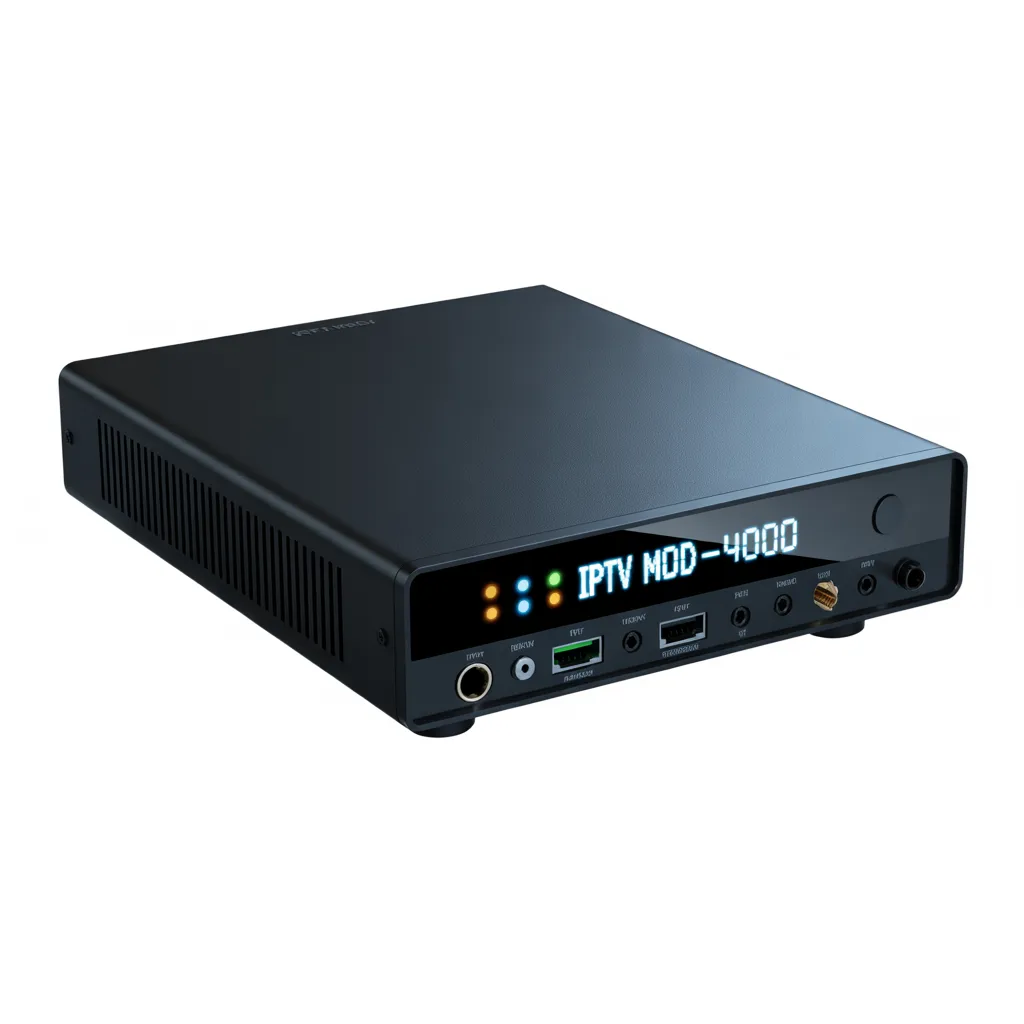

An IPTV modulator box is a device that converts IP-based video streams into RF (radio frequency) signals, allowing content to be distributed over coaxial cable and viewed on standard TVs without internet-enabled apps.
Introduction
An IPTV modulator box is a powerful solution for distributing digital TV content across multiple screens using traditional coaxial infrastructure. Whether you’re managing a hotel, office, hospital, or even a large home setup, this device bridges the gap between modern IPTV streams and legacy TV systems.
Instead of relying on smart TVs or streaming apps, an IPTV modulator lets you send channels directly through a centralized system—making it efficient, scalable, and cost-effective.
In this guide, you’ll learn everything you need to know about IPTV modulator boxes, including how they work, their benefits, setup process, and how to choose the best one.
What Is an IPTV Modulator Box?
An IPTV modulator box takes digital video streams (typically delivered over IP networks) and converts them into RF signals compatible with TVs.
Key Functions:
- Converts IP streams (UDP, RTP, HTTP) into DVB-T, DVB-C, or ATSC formats
- Distributes content via coaxial cables
- Enables viewing on non-smart TVs without additional apps
Simple Example:
Instead of installing apps on 50 TVs, you use one IPTV modulator box to broadcast all channels directly.
How Does an IPTV Modulator Box Work?
Understanding how an IPTV modulator box works helps you maximize its potential.
Step-by-Step Process:
- Input Source
IPTV streams are received via LAN (Ethernet) - Encoding & Processing
The box processes and prepares streams for modulation - Modulation
Converts digital signals into RF channels (DVB-T/C/ATSC) - Distribution
Sends signal through coaxial cable network - TV Output
TVs receive channels just like traditional broadcasts
Types of IPTV Modulator Boxes
Different use cases require different types of IPTV modulator boxes.
1. DVB-T Modulators
- Used in Europe, Africa, and many global regions
- Ideal for small to medium setups
2. DVB-C Modulators
- Designed for cable TV systems
- Offers higher bandwidth and more channels
3. ATSC Modulators
- Common in North America
- Compatible with US TV standards
4. Multi-Channel IPTV Modulator Boxes
- Supports multiple IPTV streams simultaneously
- Perfect for hotels, campuses, and enterprises
Key Features to Look For
Choosing the right IPTV modulator box depends on your needs.
Must-Have Features:
- Multi-channel support (4, 8, 16+ channels)
- High-definition support (HD / Full HD / 4K)
- Protocol compatibility (UDP, RTP, RTSP, HTTP)
- Easy web-based management interface
- EPG (Electronic Program Guide) support
- Stable bitrate handling
Benefits of Using an IPTV Modulator Box
1. Cost Efficiency
You avoid buying smart TVs or additional streaming devices.
2. Centralized Control
Manage all channels from one location.
3. Scalability
Easily expand to more TVs without complex upgrades.
4. Compatibility
Works with older TVs that only have RF input.
5. Reliability
Less dependent on internet speed per TV.
IPTV Modulator Box vs IPTV Encoder
Many people confuse these two devices.
IPTV Modulator Box:
- Converts IP → RF
- Outputs via coaxial
IPTV Encoder:
- Converts HDMI/SDI → IP stream
- Used for content creation
👉 Think of it this way:
- Encoder = creates IPTV stream
- Modulator = distributes it via TV signal
[Link to related article on IPTV encoder setup]
Who Should Use an IPTV Modulator Box?
An IPTV modulator box is ideal for:
Hotels & Resorts
- Offer TV channels without smart TVs
- Provide custom channels (ads, info, etc.)
Hospitals
- Centralized patient entertainment systems
Gyms & Sports Bars
- Broadcast multiple channels across screens
Offices & Corporate Spaces
- Internal communication channels
Residential Buildings
- Shared IPTV systems across apartments
How to Set Up an IPTV Modulator Box
Setting up an IPTV modulator box is easier than you might think.
Basic Setup Steps:
- Connect IPTV Source
- Plug Ethernet cable into LAN port
- Access Web Interface
- Use browser to log into device
- Add IPTV Streams
- Input M3U or stream URLs
- Configure Channels
- Assign RF frequencies
- Connect RF Output
- Link to coaxial network
- Scan Channels on TVs
- TVs detect new RF channels
Common Setup Mistakes to Avoid
- Using unstable IPTV sources
- Overloading channels beyond capacity
- Poor coaxial cable quality
- Incorrect frequency configuration
- Ignoring firmware updates
Best IPTV Modulator Box Use Cases
Small Setup (Home / Small Office)
- 1–4 channels
- DVB-T modulator
Medium Setup (Hotel / School)
- 8–16 channels
- Rack-mounted unit
Large Setup (Enterprise / Campus)
- 32+ channels
- Multiple modulators combined
IPTV Modulator Box Buying Guide
Before purchasing, consider these factors:
1. Number of Channels
Choose based on how many streams you need.
2. Output Standard
- DVB-T (most common globally)
- DVB-C (cable networks)
3. Resolution Support
Ensure HD or 4K if required.
4. Budget
Prices vary widely:
- Entry-level: $200–$500
- Mid-range: $500–$1500
- Professional: $1500+
5. Brand Reliability
Always choose trusted manufacturers.
[Link to external review site for broadcast equipment]
IPTV Modulator Box for Hotels: A Smart Investment
Hotels benefit massively from IPTV modulator systems.
Advantages:
- No need for smart TVs
- Custom welcome channels
- Advertising opportunities
- Reduced maintenance costs
Example:
A 50-room hotel can use one IPTV modulator box instead of 50 streaming devices.
Troubleshooting IPTV Modulator Box Issues
No Signal on TV
- Check RF output connection
- Rescan channels
Poor Video Quality
- Reduce bitrate overload
- Check IPTV source quality
Channels Not Loading
- Verify IPTV stream URL
- Restart device
IPTV Modulator Box vs Headend System
A headend system is more complex.
IPTV Modulator Box:
- Simple, cost-effective
- Ideal for small to medium setups
Headend System:
- Advanced control
- Used in large broadcast environments
Future of IPTV Modulator Boxes
Technology is evolving fast.
Trends to Watch:
- 4K and 8K streaming support
- AI-based channel optimization
- Cloud integration
- Hybrid IPTV + RF systems
FAQs About IPTV Modulator Box
What is an IPTV modulator box used for?
It converts IPTV streams into RF signals for distribution via coaxial cables.
Do I need internet for every TV?
No, only the IPTV modulator box needs internet.
Can I use it at home?
Yes, especially for multi-room TV setups.
Is it better than smart TVs?
For large-scale distribution, yes—it’s more efficient.
Conclusion
An IPTV modulator box is a game-changing device for distributing TV content efficiently across multiple screens. Whether you’re running a hotel, managing a business, or building a centralized home system, it offers unmatched simplicity, scalability, and cost savings.
Instead of dealing with multiple streaming devices, you can rely on one powerful solution that delivers consistent performance.
Meta Description
Discover what an IPTV modulator box is, how it works, its benefits, setup steps, and buying tips in this complete beginner-to-expert guide.