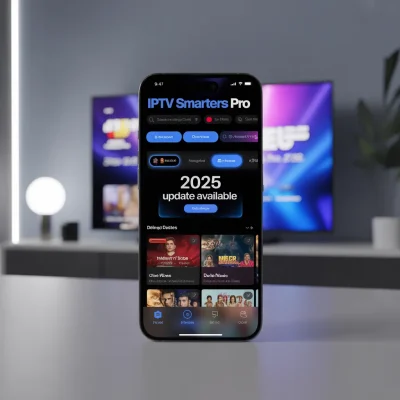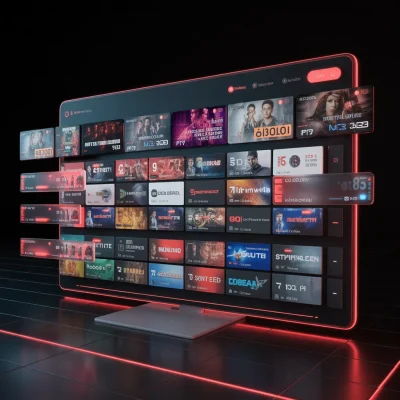
The IPTV Smarters Pro App is a popular IPTV player that allows users to stream live TV channels, movies, series, and catch-up content from IPTV service providers. It does not provide content itself but works as a platform where users can load IPTV subscriptions via M3U URLs or Xtream Codes to watch content across multiple devices including smartphones, smart TVs, and computers.
Introduction to IPTV Smarters Pro App
The IPTV Smarters Pro App has become one of the most widely used IPTV player applications for streaming live television and on-demand content. Designed with a user-friendly interface and powerful streaming features, the app helps users organize and watch IPTV subscriptions in one convenient place.
Unlike traditional cable services, IPTV technology delivers television content via the internet. This means you can watch channels, movies, and series on various devices without needing satellite dishes or cable boxes.
The IPTV Smarters Pro App supports multiple formats and login methods, making it compatible with many IPTV providers around the world. Whether you’re using a Smart TV, Android device, iPhone, tablet, or PC, the app offers a smooth streaming experience.
For beginners who want a flexible streaming solution and advanced users looking for customization options, IPTV Smarters Pro has become a go-to IPTV player.
What is the IPTV Smarters Pro App?
The IPTV Smarters Pro App is a media player application specifically designed for streaming IPTV content. Instead of hosting channels or media itself, the app acts as a player interface where users can add IPTV playlists provided by their IPTV service.
Key Characteristics
- Works with IPTV subscriptions
- Supports multiple playlist formats
- Compatible with many operating systems
- Provides a modern TV-style interface
- Allows multi-screen streaming
In simple terms, it’s like a smart streaming dashboard that organizes IPTV channels, movies, and series into categories for easy viewing.
Main Features of IPTV Smarters Pro App
The IPTV Smarters Pro App includes many advanced features that make it stand out among IPTV players.
1. User-Friendly Interface
The app has a clean and intuitive design that makes navigation simple even for beginners.
Features include:
- Organized categories
- Easy channel browsing
- Quick search function
- Modern layout similar to streaming platforms
2. Multi-Screen Support
One of the most appreciated features of the IPTV Smarters Pro App is multi-screen functionality.
This allows users to:
- Watch multiple channels simultaneously
- Switch between streams quickly
- Monitor sports or news from different channels at once
3. Support for Multiple IPTV Formats
The app supports various IPTV playlist formats such as:
- M3U Playlist URL
- Xtream Codes API
- Local playlist files
This flexibility allows the IPTV Smarters Pro App to work with most IPTV providers.
4. Electronic Program Guide (EPG)
The integrated EPG (Electronic Program Guide) provides a full TV schedule for channels.
Benefits include:
- View upcoming programs
- Check broadcast schedules
- Navigate channels easily
The EPG transforms the IPTV Smarters Pro App into a true digital TV experience.
5. Video-on-Demand (VOD) Support
The IPTV Smarters Pro App allows access to movies and series libraries if your IPTV provider includes VOD content.
Typical VOD features include:
- Movie posters and descriptions
- Series seasons and episodes
- Categorized content libraries
6. Parental Control
Families can use parental control settings to restrict certain content.
With this feature you can:
- Lock adult channels
- Restrict access with a password
- Create safe viewing environments for children
7. External Player Integration
Advanced users may prefer using external video players.
The IPTV Smarters Pro App supports integration with players such as:
- VLC
- MX Player
This provides greater flexibility in playback settings.
Supported Devices for IPTV Smarters Pro App
One of the reasons for the popularity of the IPTV Smarters Pro App is its broad device compatibility.
Mobile Devices
The app works smoothly on:
- Android smartphones
- Android tablets
- iPhones
- iPads
These devices allow users to watch IPTV content on the go.
Smart TVs
Many smart TV brands support IPTV Smarters Pro.
Common supported systems include:
- Android TV
- Samsung Smart TV
- LG Smart TV
Watching IPTV on a big screen enhances the viewing experience.
Streaming Devices
The IPTV Smarters Pro App can also be installed on popular streaming devices:
- Amazon Fire TV Stick
- Android TV Boxes
- NVIDIA Shield
These devices turn standard TVs into IPTV streaming hubs.
Computers and PCs
Users can also run IPTV Smarters Pro on:
- Windows PC
- macOS computers
This makes it easy to watch IPTV channels from desktops and laptops.
How to Install IPTV Smarters Pro App
Installing the IPTV Smarters Pro App is straightforward and takes only a few minutes.
Step 1: Download the App
Download the application from the official store for your device.
Examples include:
- Google Play Store
- Apple App Store
- Smart TV app stores
External source reference:
[Link to official IPTV Smarters website]
Step 2: Open the Application
Once installed:
- Launch the IPTV Smarters Pro App
- Accept the terms and conditions
- Choose your login method
Step 3: Add Your IPTV Subscription
Most IPTV providers give login credentials.
Common login options include:
Option 1: Xtream Codes API
- Username
- Password
- Server URL
Option 2: M3U Playlist
- M3U playlist URL
Once added, the app will load channels and content automatically.
How to Use IPTV Smarters Pro App
After installation, the IPTV Smarters Pro App becomes your main dashboard for IPTV streaming.
Navigating the Dashboard
Typical categories include:
- Live TV
- Movies
- Series
- Catch-Up TV
- Settings
Each section organizes content for easier browsing.
Searching for Channels
The search feature helps users quickly find:
- Sports channels
- News channels
- Entertainment networks
This is particularly helpful when IPTV playlists contain hundreds or thousands of channels.
Managing Favorites
Users can create a personalized list of favorite channels.
Benefits include:
- Faster channel access
- Custom viewing lists
- Organized entertainment experience
Benefits of Using IPTV Smarters Pro App
The IPTV Smarters Pro App offers many advantages compared to traditional TV services.
1. Flexibility
Users can watch content on multiple devices anywhere with internet access.
2. Customization
The app allows playlist management, external players, and parental controls.
3. Cost Efficiency
Compared with cable TV subscriptions, IPTV services can be more affordable.
4. Global Content Access
Many IPTV providers offer channels from multiple countries, giving viewers access to international programming.
IPTV Smarters Pro App vs Other IPTV Players
There are many IPTV players available, but the IPTV Smarters Pro App remains one of the most widely used.
Key Differences
| Feature | IPTV Smarters Pro | Basic IPTV Players |
|---|---|---|
| Interface | Modern UI | Often simple |
| Multi-Screen | Yes | Limited |
| EPG Support | Yes | Sometimes |
| VOD Support | Yes | Not always |
| Parental Controls | Yes | Rare |
Because of these features, many IPTV users prefer IPTV Smarters Pro.
Is IPTV Smarters Pro App Legal?
The IPTV Smarters Pro App itself is legal because it is simply a media player.
However, legality depends on the IPTV service provider and whether they have rights to distribute the content.
Users should ensure they use legitimate IPTV services.
External reference:
[Link to legal overview of IPTV streaming]
Tips for the Best Streaming Experience
To get the most out of the IPTV Smarters Pro App, consider the following tips.
Use a Stable Internet Connection
Recommended speeds:
- 10 Mbps for HD streaming
- 25 Mbps or more for 4K content
Update the App Regularly
New updates often include:
- Bug fixes
- Performance improvements
- New features
Organize Your Channel Lists
Large IPTV playlists can be overwhelming.
Use:
- Favorites lists
- Category filters
- Channel search
Optimize Device Performance
For smoother streaming:
- Close background apps
- Restart your device occasionally
- Use wired internet when possible
Troubleshooting Common Issues
Sometimes users experience issues when using the IPTV Smarters Pro App.
Buffering Problems
Possible solutions:
- Check internet speed
- Restart router
- Use a wired connection
Channels Not Loading
This may occur if:
- IPTV server is down
- Login credentials are incorrect
- Playlist needs refreshing
App Crashes
Try these steps:
- Clear app cache
- Update the application
- Reinstall the IPTV Smarters Pro App
Future of IPTV Streaming
The IPTV industry continues to grow rapidly as more viewers shift away from traditional cable television.
Streaming platforms, smart devices, and high-speed internet connections are making IPTV services more accessible worldwide.
Applications like the IPTV Smarters Pro App play a crucial role in this transition by offering powerful yet easy-to-use tools for managing IPTV subscriptions.
Internal resource:
[Link to related article on IPTV setup guide]
External research reference:
[Link to industry report on IPTV market growth]
Conclusion
The IPTV Smarters Pro App is one of the most reliable and feature-rich IPTV players available today. With its modern interface, multi-device support, and advanced streaming features, it provides a seamless way to watch live TV, movies, and series through IPTV services.
Whether you are a beginner exploring IPTV for the first time or an experienced user looking for a powerful streaming interface, IPTV Smarters Pro offers flexibility, convenience, and customization options that enhance the viewing experience.
Ready to Start Streaming?
If you’re interested in IPTV streaming, try installing the IPTV Smarters Pro App and connect it with a trusted IPTV provider.
👉 Next Steps:
Share your experience or questions in the comments!
Explore our guide: [Link to IPTV setup tutorial]
Learn more about streaming devices: [Link to best IPTV devices article]