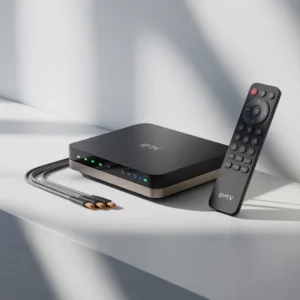

A PVI IPTV HD encoder is a professional device that converts HDMI or SDI video signals into compressed digital streams (such as H.264 or H.265) for delivery over IP networks. It is widely used in broadcasting, live streaming, hotels, education, and corporate TV systems to deliver reliable, high-definition IPTV content.
Introduction to PVI IPTV HD Encoder Technology
The PVI IPTV HD encoder is one of the most important components in modern IPTV broadcasting systems. Whether you are managing a hotel TV network, running a corporate video channel, or building a live streaming infrastructure, this device ensures your video content is efficiently converted and delivered across IP networks.
In simple terms, a PVI IPTV HD encoder takes a video source such as a satellite receiver, camera, or media player and converts it into a digital stream suitable for IPTV distribution. This process includes video compression, format conversion, and network transmission.
As IPTV adoption continues to grow worldwide, professional encoders like PVI solutions are becoming essential tools for delivering stable and high-quality HD content.
What is a PVI IPTV HD Encoder?
A PVI IPTV HD encoder is a hardware encoding device designed to convert high-definition video signals into IPTV streams using compression standards such as:
- H.264 (AVC)
- H.265 (HEVC)
- MPEG-4
- AAC audio encoding
These encoders typically accept inputs such as:
- HDMI sources
- SDI broadcast signals
- AV inputs
- IP video streams
After encoding, the device outputs streams via protocols like:
- RTSP
- RTP
- UDP
- HTTP
- HLS
This makes the encoder a central bridge between traditional video equipment and modern IPTV infrastructure.
Key Features of PVI IPTV HD Encoders
Modern PVI IPTV HD encoder devices include advanced features designed for professional broadcasting environments.
Video Encoding Capabilities
Most PVI encoders support:
- Full HD 1080p encoding
- Low bitrate optimization
- H.265 bandwidth reduction
- Constant or variable bitrate control
- Frame rate adjustment
These features help organizations deliver consistent video quality even with limited bandwidth.
Network Streaming Protocol Support
A professional IPTV encoder should support multiple protocols such as:
- Multicast streaming for large networks
- Unicast streaming for individual clients
- Adaptive bitrate streaming
- HTTP Live Streaming (HLS)
This flexibility allows the encoder to work in different environments.
Audio Processing Functions
Audio is just as important as video. PVI encoders often support:
- AAC audio compression
- MPEG audio formats
- Audio gain control
- Channel selection
Remote Management Options
Many PVI IPTV HD encoder devices offer web-based management dashboards that allow administrators to:
- Configure encoding settings
- Monitor stream health
- Update firmware
- Restart services remotely
[Link to related article on IPTV management software]
How a PVI IPTV HD Encoder Works
Understanding the workflow of a PVI IPTV HD encoder helps you optimize your IPTV system.
Step-by-Step Process
Here is how the encoding process typically works:
- Video Input Reception
- The encoder receives video from HDMI, SDI, or AV sources.
- Signal Processing
- The device processes resolution, frame rate, and color format.
- Compression
- Video is compressed using H.264 or H.265.
- Packetization
- Data is converted into IP packets.
- Network Transmission
- The stream is sent through Ethernet to IPTV servers or switches.
- Distribution
- Users receive the stream via IPTV middleware or players.
This pipeline ensures efficient distribution of high-quality video.
Benefits of Using a PVI IPTV HD Encoder
Organizations invest in PVI IPTV HD encoder solutions because they provide measurable advantages.
1. High-Quality Video Delivery
Professional encoding ensures:
- Stable HD video quality
- Reduced pixelation
- Smooth playback
- Optimized bandwidth use
2. Cost Efficiency
Using IPTV instead of traditional RF distribution reduces:
- Cabling costs
- Maintenance expenses
- Hardware requirements
3. Scalability
IPTV systems built with PVI encoders can scale easily:
- Add new channels quickly
- Expand to new buildings
- Support more users without major infrastructure changes
4. Reliability
PVI devices are designed for continuous operation, making them suitable for:
- 24/7 broadcasting
- Mission-critical monitoring systems
- Enterprise communications
Common Use Cases for PVI IPTV HD Encoder Devices
The PVI IPTV HD encoder is used across many industries.
Hospitality Industry
Hotels use IPTV encoders to:
- Deliver satellite channels
- Provide internal information channels
- Broadcast promotional content
- Offer digital signage
[Link to related article on hotel IPTV systems]
Corporate Environments
Companies use encoders for:
- Internal communications
- CEO announcements
- Training videos
- Digital dashboards
Education Sector
Schools and universities deploy IPTV for:
- Lecture broadcasting
- Campus TV channels
- Emergency announcements
- Distance learning
[Link to UNESCO education technology report]
Healthcare Facilities
Hospitals use IPTV for:
- Patient entertainment
- Information channels
- Staff communications
- Waiting room displays
Broadcasting and Live Streaming
Media companies rely on encoders for:
- OTT streaming
- Live events
- Social media streaming
- Content distribution networks
PVI IPTV HD Encoder vs Standard IPTV Encoder
You may wonder what makes a PVI IPTV HD encoder different from generic encoders.
Comparison Overview
| Feature | PVI IPTV HD Encoder | Generic Encoder |
|---|---|---|
| Build quality | Professional grade | Varies |
| Stability | High | Moderate |
| Support | Vendor support | Limited |
| Protocol support | Extensive | Basic |
| Management | Advanced UI | Limited UI |
Professional encoders often provide better firmware stability and technical support.
Important Specifications to Consider
Before buying a PVI IPTV HD encoder, evaluate these technical factors.
Input Options
Check compatibility with your sources:
- HDMI input
- SDI input
- CVBS input
- IP input
Encoding Formats
Choose encoders supporting:
- H.264 for compatibility
- H.265 for bandwidth efficiency
Bitrate Range
A good encoder should allow:
- Low bitrate streaming
- Adjustable bitrate profiles
- Bandwidth optimization
Latency Performance
Low latency is essential for:
- Live events
- Security monitoring
- Interactive streaming
Network Interfaces
Look for:
- Gigabit Ethernet
- Dual LAN ports
- Redundancy features
[Link to related article on network optimization for IPTV]
Installation Guide for PVI IPTV HD Encoder
Proper setup ensures optimal performance.
Basic Installation Steps
Follow these steps:
- Connect the HDMI video source.
- Connect Ethernet cable to network switch.
- Power on the encoder.
- Access the web interface.
- Configure IP settings.
- Set encoding parameters.
- Start streaming.
Recommended Network Setup
For best performance:
- Use managed switches
- Enable VLAN separation
- Configure multicast properly
- Monitor bandwidth usage
[Link to Cisco IPTV network design guide]
Best Practices for Optimizing Performance
To get the most from your PVI IPTV HD encoder, follow these best practices.
Optimize Encoding Settings
Recommended adjustments include:
- Match resolution to source
- Avoid unnecessary scaling
- Use H.265 when possible
- Set proper GOP values
Monitor Stream Health
Regular monitoring helps prevent downtime.
Track:
- Bitrate stability
- Packet loss
- Network jitter
- CPU usage
Maintain Firmware Updates
Manufacturers release updates to:
- Fix bugs
- Improve security
- Enhance performance
Always keep your encoder updated.
Troubleshooting Common PVI IPTV HD Encoder Issues
Even reliable encoders may face occasional issues.
No Video Signal
Possible causes:
- Loose HDMI cable
- Unsupported resolution
- Source device issue
Solutions:
- Check connections
- Match resolution settings
- Test alternative source
Stream Not Playing
Possible reasons:
- Incorrect multicast address
- Firewall blocking ports
- Player incompatibility
Fixes:
- Verify network settings
- Open required ports
- Test with VLC player
Poor Video Quality
Possible causes:
- Bitrate too low
- Network congestion
- Wrong encoding profile
Solutions:
- Increase bitrate
- Improve network capacity
- Adjust compression settings
[Link to related article on IPTV troubleshooting]
Security Considerations for IPTV Encoders
Security is critical in IPTV deployments.
Protect Network Access
Best practices include:
- Change default passwords
- Use secure VLANs
- Restrict management access
- Enable firewall rules
Stream Protection
Protect content using:
- Access control lists
- Token authentication
- DRM systems
- Network segmentation
[Link to cybersecurity best practices report]
Future Trends in IPTV Encoding Technology
The IPTV industry continues to evolve.
H.265 and Beyond
HEVC adoption is increasing due to:
- Lower bandwidth usage
- Better compression
- Improved video quality
Future codecs like AV1 may become common.
Cloud Integration
Modern IPTV workflows include:
- Cloud transcoding
- Remote management
- Hybrid distribution models
AI-Based Optimization
Artificial intelligence is improving:
- Video compression efficiency
- Error detection
- Automated quality control
[Link to IPTV industry trends report]
How to Choose the Right PVI IPTV HD Encoder
Selecting the right model depends on your needs.
Questions to Ask Before Buying
Consider:
- How many channels do you need?
- What resolution is required?
- What is your network capacity?
- Do you need redundancy?
- What protocols are required?
Recommended Selection Criteria
Choose a PVI IPTV HD encoder that offers:
- Reliable hardware
- Vendor support
- Flexible configuration
- Future scalability
- Security features
Maintenance Tips for Long-Term Reliability
Keep your IPTV encoder performing well.
Regular Maintenance Checklist
Perform these tasks:
- Check firmware updates monthly
- Monitor temperature levels
- Clean ventilation ports
- Backup configuration files
- Test failover systems
Preventive maintenance reduces unexpected failures.
Frequently Asked Questions About PVI IPTV HD Encoder
What resolution does a PVI IPTV HD encoder support?
Most models support:
- 720p
- 1080p
- Some support 4K input (downscaled)
Can I stream to YouTube or OTT platforms?
Yes, if RTMP is supported, you can stream to:
- YouTube
- Facebook Live
- Twitch
- Custom CDN platforms
Is technical expertise required?
Basic networking knowledge is recommended, but most devices include user-friendly interfaces.
[Link to beginner guide to IPTV streaming]
Conclusion: Is a PVI IPTV HD Encoder Worth It?
A PVI IPTV HD encoder is a powerful solution for organizations seeking professional IPTV distribution. With strong encoding capabilities, flexible streaming protocols, and reliable performance, these devices form the backbone of many modern video distribution systems.
Whether you are building a hotel IPTV network, launching a corporate channel, or improving your broadcast workflow, investing in a professional encoder can significantly improve your video delivery quality.
With proper setup and maintenance, a PVI encoder can provide years of reliable service while supporting future IPTV expansion.
Meta Description
Meta description (158 characters):
Learn everything about PVI IPTV HD encoder devices, features, benefits, setup, and best practices for delivering high-quality IPTV streaming in professional environments.
Strong Call to Action
Ready to build a professional IPTV system with a PVI IPTV HD encoder?
Here’s what to do next:
- Read more: [Link to complete IPTV equipment guide]
- Explore setup tips: [Link to IPTV installation tutorial]
- Contact us: [Link to IPTV consulting services]
- Stay updated: Subscribe to our newsletter for IPTV technology insights