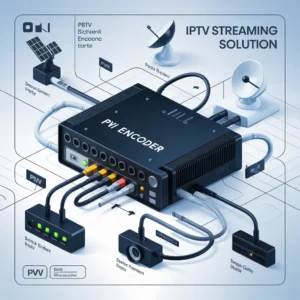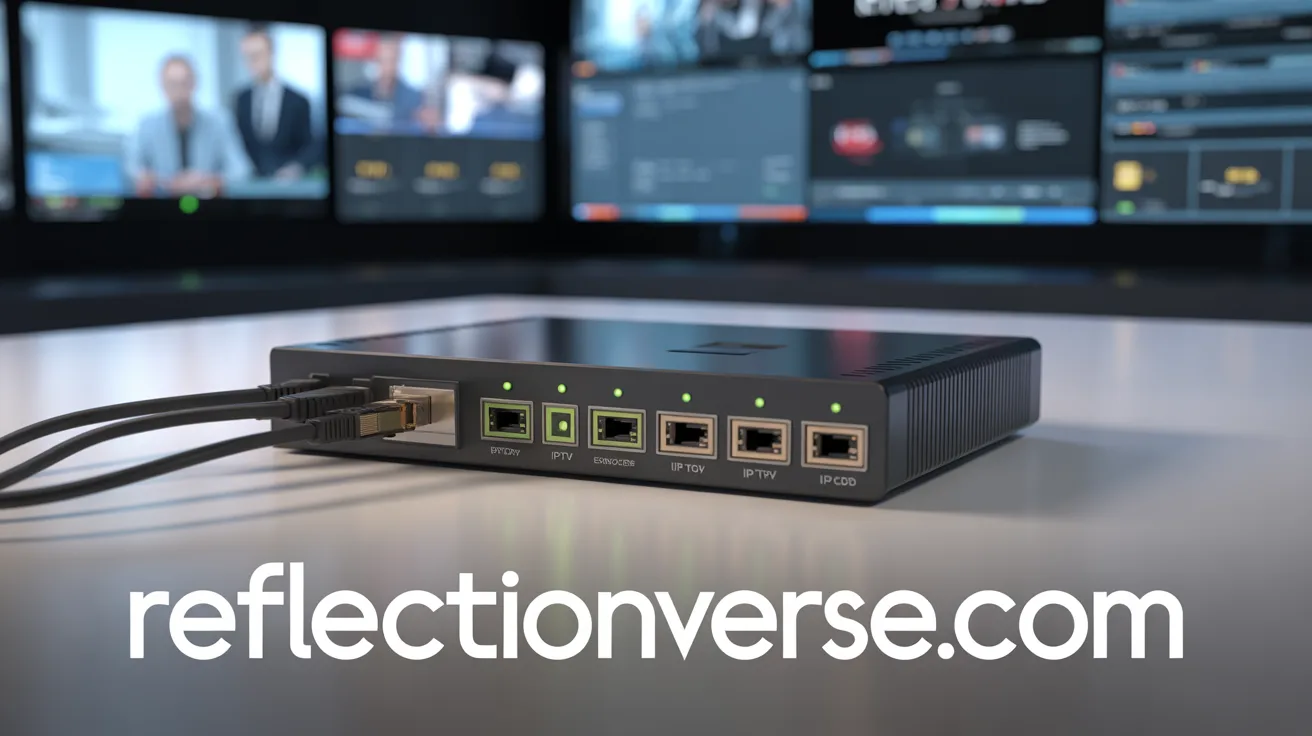

A PVI IPTV HDMI encoder is a professional device that converts HDMI video signals into IP streams for live broadcasting over networks. It is widely used in IPTV systems, live streaming, digital signage, education, and broadcasting because it delivers stable, high-quality video with low latency.
What Is a PVI IPTV HDMI Encoder?
A PVI IPTV HDMI encoder is a hardware device designed to convert HDMI video input into digital IP streams using compression formats like H.264 or H.265. These streams can then be distributed across IPTV networks, content delivery networks (CDNs), or the internet.
In simple terms, the encoder acts as a bridge between your video source (camera, PC, set-top box, or media player) and your streaming platform. A PVI IPTV HDMI encoder ensures the video is optimized for transmission while maintaining quality and reducing bandwidth usage.
These devices are commonly used by:
- IPTV service providers
- Broadcasters
- Churches and event organizers
- Corporate communication teams
- Educational institutions
- Content creators
If you want reliable IPTV distribution, a professional HDMI encoder is considered essential equipment.
How a PVI IPTV HDMI Encoder Works
Understanding how a PVI IPTV HDMI encoder works helps you choose the right model and configure it properly.
Basic Working Process
The encoder performs three main steps:
- Video Input Capture
- Receives HDMI signals from cameras, laptops, or receivers
- Video Compression
- Converts raw video into H.264 or H.265 format
- Reduces file size without major quality loss
- IP Streaming Output
- Sends the stream via protocols such as:
- RTMP
- RTSP
- UDP
- HTTP
- HLS
- Sends the stream via protocols such as:
This process allows content to be broadcast across local networks or globally.
Key Technologies Used
Most modern PVI IPTV encoders include:
- H.264/H.265 encoding
- AAC audio encoding
- Bitrate control
- Network protocol support
- Web management interfaces
These features make IPTV broadcasting efficient and scalable.
Key Features of a PVI IPTV HDMI Encoder
When selecting a PVI IPTV HDMI encoder, understanding the core features helps ensure you get the best performance.
Video Encoding Capabilities
Professional encoders typically support:
- H.264 AVC compression
- H.265 HEVC compression
- Multiple bitrate profiles
- Resolution scaling
Higher-end models may also support:
- 4K encoding
- HDR compatibility
- Multi-stream output
Audio Processing
Audio quality matters as much as video. Most encoders include:
- AAC audio encoding
- MPEG audio formats
- Audio gain adjustment
- Lip sync correction
Network Streaming Protocols
A good PVI IPTV HDMI encoder supports multiple streaming protocols:
- RTMP for platforms
- RTSP for surveillance systems
- UDP for IPTV headends
- HLS for adaptive streaming
- HTTP for web playback
Multiple protocol support increases compatibility.
Remote Management
Modern devices include web dashboards allowing you to:
- Configure bitrate
- Change resolution
- Monitor performance
- Restart streams
- Update firmware
This simplifies management in professional environments.
Benefits of Using a PVI IPTV HDMI Encoder
Using a dedicated PVI IPTV HDMI encoder provides advantages compared to software encoding solutions.
Superior Reliability
Hardware encoders offer:
- Continuous operation stability
- Lower crash risk
- Dedicated processing chips
- Long-term durability
This makes them ideal for 24/7 broadcasting.
Lower CPU Load
Unlike software encoders, hardware devices:
- Reduce server load
- Improve efficiency
- Allow continuous streaming
- Prevent overheating
This is especially important in professional IPTV environments.
Professional Video Quality
Dedicated encoding hardware delivers:
- Consistent bitrate control
- Low latency streaming
- Clean compression
- Stable frame rates
These factors directly improve viewer experience.
Scalability
A PVI IPTV HDMI encoder allows:
- Multi-channel expansion
- Network integration
- CDN distribution
- Cloud streaming integration
This makes it future-proof for growing IPTV systems.
Common Use Cases for PVI IPTV HDMI Encoders
These encoders are used across many industries.
IPTV Service Distribution
The most common use is IPTV channel distribution. Providers use encoders to:
- Convert satellite channels
- Stream cable content
- Deliver live channels
- Build IPTV headends
Live Event Streaming
Encoders are widely used for:
- Conferences
- Concerts
- Sports events
- Religious services
They ensure stable live delivery.
Corporate Communications
Companies use HDMI IPTV encoders for:
- Internal announcements
- Training sessions
- CEO broadcasts
- Digital signage
This improves communication efficiency.
Education Streaming
Schools and universities use them for:
- Lecture capture
- Distance learning
- Campus IPTV
- Classroom broadcasting
Education is a rapidly growing use case.
How to Choose the Best PVI IPTV HDMI Encoder
Selecting the right PVI IPTV HDMI encoder depends on your needs.
Consider Video Resolution
Choose based on your requirements:
- 1080p for standard IPTV
- 4K for premium content
- Multi-resolution for adaptive streaming
Higher resolution requires higher bandwidth.
Check Encoding Format
H.264:
- Compatible
- Lower CPU demand
- Widely supported
H.265:
- Better compression
- Lower bandwidth use
- Newer technology
H.265 is recommended for modern deployments.
Evaluate Network Features
Look for:
- Gigabit Ethernet
- Dual stream output
- VLAN support
- Multicast capability
These features improve network efficiency.
Look for Management Features
Choose models offering:
- Web UI
- SNMP monitoring
- Remote firmware upgrades
- Configuration backup
Management tools reduce maintenance time.
PVI IPTV HDMI Encoder Setup Guide
Setting up a PVI IPTV HDMI encoder is typically straightforward.
Basic Installation Steps
Follow these steps:
- Connect HDMI source
- Connect LAN cable
- Power on device
- Access web interface
- Configure streaming parameters
- Start broadcast
Most setups take less than 15 minutes.
Configuration Best Practices
For optimal performance:
- Use static IP addresses
- Set proper bitrate
- Match resolution to source
- Enable backup streams
- Monitor network usage
These steps improve reliability.
Recommended Bitrate Settings
General guidelines:
| Resolution | Bitrate |
|---|---|
| 720p | 2–4 Mbps |
| 1080p | 4–8 Mbps |
| 4K | 15–30 Mbps |
Adjust based on network capacity.
PVI IPTV HDMI Encoder vs Software Encoder
Understanding the difference helps determine the right solution.
Hardware Encoder Advantages
A PVI IPTV HDMI encoder offers:
- Stability
- Dedicated hardware
- Lower latency
- Continuous uptime
- Professional reliability
These make them ideal for production environments.
Software Encoder Advantages
Software solutions provide:
- Lower upfront cost
- Flexibility
- Easy upgrades
- Quick deployment
However, they require strong hardware.
Which Should You Choose?
Choose hardware if you need:
- 24/7 streaming
- Professional IPTV
- Mission-critical broadcasting
Choose software if you need:
- Small projects
- Limited budget
- Temporary streaming
Many organizations combine both.
Troubleshooting Common PVI IPTV HDMI Encoder Issues
Even the best systems may encounter issues.
No Video Signal
Possible causes:
- HDMI cable issue
- Resolution mismatch
- HDCP protection
- Source device error
Solutions:
- Replace cable
- Match resolution
- Disable HDCP if possible
Streaming Interruptions
Possible causes:
- Network congestion
- Bitrate too high
- Packet loss
Solutions:
- Lower bitrate
- Upgrade network switch
- Use QoS settings
Audio Problems
Common causes:
- Incorrect audio format
- Sampling mismatch
- Firmware bugs
Solutions:
- Use AAC audio
- Update firmware
- Adjust audio settings
Regular maintenance prevents most issues.
Best Practices for IPTV Encoding Optimization
Optimizing your PVI IPTV HDMI encoder ensures maximum performance.
Optimize Bitrate Control
Use:
- CBR for IPTV stability
- VBR for bandwidth efficiency
- ABR for adaptive streaming
Choose based on your network needs.
Reduce Latency
To reduce delay:
- Use UDP streaming
- Lower GOP size
- Reduce buffer size
- Use hardware decoding players
Low latency improves live experiences.
Improve Stream Stability
Best practices:
- Use wired networks
- Avoid Wi-Fi
- Use enterprise switches
- Monitor packet loss
Network quality directly impacts stream quality.
Security Considerations for IPTV Encoding
Security is often overlooked but critical.
Protect Encoder Access
Always:
- Change default passwords
- Use strong credentials
- Disable unused services
- Restrict IP access
Basic security prevents attacks.
Secure Stream Delivery
Use:
- VPN networks
- Encryption when possible
- Firewalls
- Access control
Security protects content rights.
Firmware Updates
Regular updates provide:
- Bug fixes
- Security patches
- Performance improvements
- New features
Keep firmware updated.
Future Trends in IPTV HDMI Encoding
The IPTV industry continues evolving rapidly.
AI Video Optimization
Future encoders may include:
- AI bitrate optimization
- Scene detection
- Smart compression
- Automated quality adjustment
AI will improve efficiency.
Cloud Integration
Modern IPTV workflows are moving toward:
- Cloud transcoding
- Remote management
- SaaS IPTV platforms
- Edge streaming
Hybrid systems are becoming standard.
8K and Advanced Codecs
Upcoming developments include:
- AV1 codec adoption
- 8K streaming
- Ultra-low latency protocols
- Enhanced HDR support
These will shape next-generation IPTV.
Frequently Asked Questions About PVI IPTV HDMI Encoders
What does a PVI IPTV HDMI encoder do?
It converts HDMI video into IPTV streams for network distribution.
Can I stream to YouTube with it?
Yes, if RTMP is supported.
Do I need a server?
Not always. Many encoders stream directly to platforms.
Is H.265 better than H.264?
Yes, it provides better compression but needs compatible players.
How long do encoders last?
Professional devices can operate continuously for years with proper maintenance.
Internal Resources You May Find Helpful
To continue learning:
- [Link to related article on IPTV headend systems]
- [Link to guide on IPTV streaming protocols]
- [Link to article about video encoding basics]
- [Link to network optimization tutorial]
These resources help build a complete IPTV system.
External Learning Resources
For deeper technical understanding:
- [Link to MPEG video compression documentation]
- [Link to streaming protocol technical overview]
- [Link to networking fundamentals guide]
- [Link to professional broadcasting standards]
Using credible technical documentation improves deployment success.
Final Thoughts on PVI IPTV HDMI Encoders
A PVI IPTV HDMI encoder is one of the most important components in any professional IPTV workflow. Whether you are broadcasting live events, distributing IPTV channels, or building a corporate streaming system, choosing the right encoder ensures reliability and quality.
By understanding features, setup, optimization techniques, and future trends, you can build a scalable IPTV infrastructure capable of delivering professional results.
Investing in the right encoder today helps prevent technical limitations tomorrow.
Meta Description (155–160 characters)
Professional guide to PVI IPTV HDMI encoder devices. Learn features, setup, benefits, optimization tips, and how to choose the best encoder for IPTV streaming.
Ready to Build Your IPTV System?
If you’re planning to deploy or upgrade your IPTV infrastructure, choosing the right PVI IPTV HDMI encoder is a critical first step.
Next steps you can take today:
- Read more IPTV guides
- Compare encoder specifications
- Test your streaming workflow
- Optimize your network setup