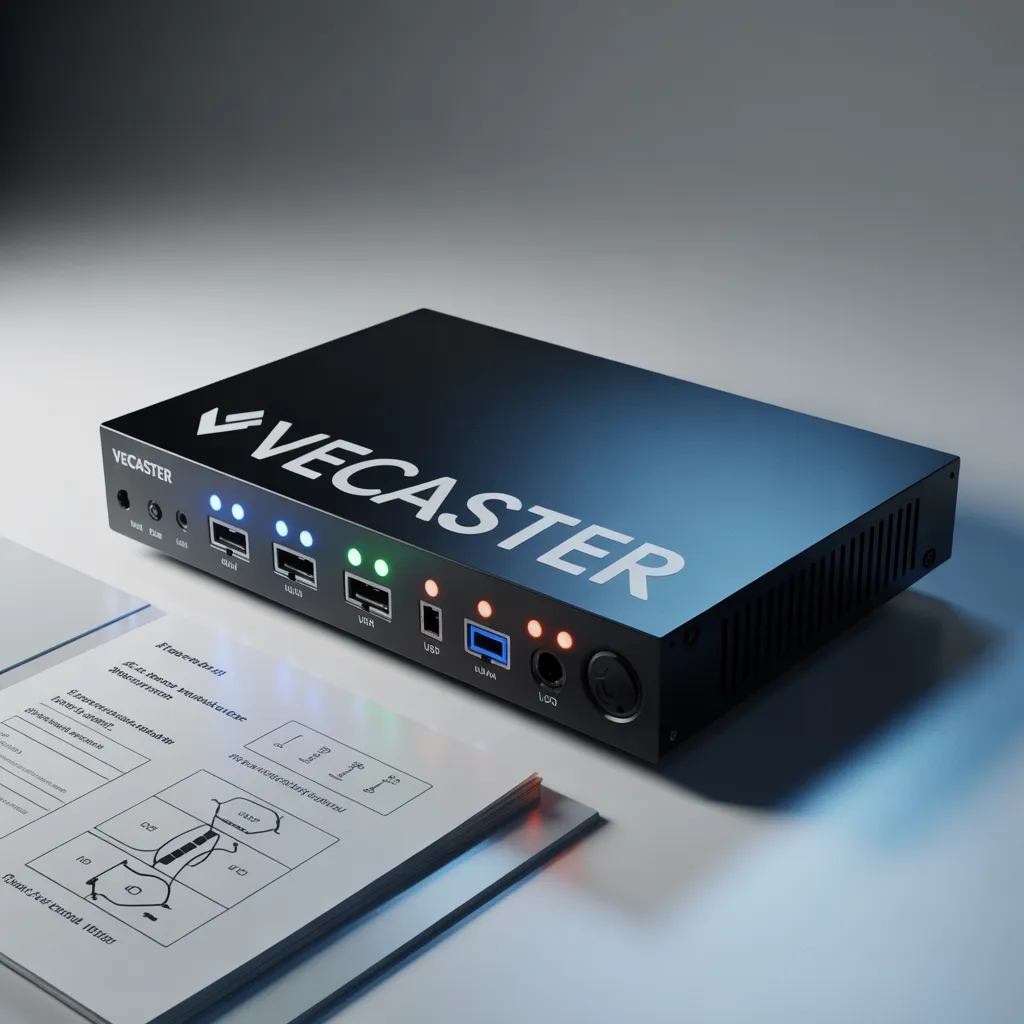


Introduction to Vecaster IPTV Encoder
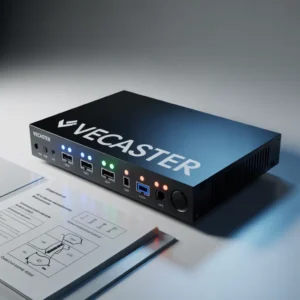
The Vecaster IPTV encoder has become one of the most reliable solutions for professional video streaming over IP networks. Whether you are building an IPTV system for hospitality, corporate communication, education, or broadcasting, choosing the right encoder is essential for stream quality and stability.
A Vecaster IPTV encoder converts video input signals into digital streams using protocols like RTMP, RTSP, HLS, UDP, and HTTP. This allows organizations to distribute live or recorded content efficiently across multiple screens and devices.
Modern IPTV infrastructures depend on stable encoding equipment, and Vecaster encoders are designed specifically to deliver:
- High video quality
- Reliable network streaming
- Low bandwidth optimization
- Continuous operation capability
- Easy remote management
In this complete guide, you will learn everything about Vecaster IPTV encoders, including features, benefits, setup process, applications, and how to choose the right model.
What is a Vecaster IPTV Encoder?
A Vecaster IPTV encoder is a hardware encoding device that transforms video signals from sources like:
- Cameras
- Set-top boxes
- Media players
- Computers
- Satellite receivers
into IPTV streams that can be distributed over a network.
Unlike software encoders, hardware IPTV encoders like Vecaster devices provide:
- Better stability
- Lower CPU usage
- 24/7 operation capability
- Professional reliability
- Dedicated encoding chips
How Vecaster IPTV Encoders Work
The process typically follows these steps:
- Video source connects via HDMI or SDI
- Encoder compresses video using H.264 or H.265
- Device converts video into IP packets
- Stream is transmitted over LAN or internet
- Players receive the IPTV stream
This makes the Vecaster solution ideal for professional IPTV deployments.
Key Features of Vecaster IPTV Encoders
1. High-Efficiency Video Compression
Most Vecaster IPTV encoder models support:
- H.264 encoding
- H.265/HEVC encoding
- MPEG-4 standards
H.265 is particularly important because it can reduce bandwidth usage by up to 50% compared to H.264.
2. Multiple Streaming Protocol Support
Professional IPTV systems require flexible protocol support. Vecaster encoders typically support:
- RTMP (Live streaming platforms)
- RTSP (IPTV systems)
- UDP multicast
- HTTP streaming
- HLS streaming
This allows integration with various IPTV platforms.
3. High Resolution Support
Vecaster encoders often support:
- 720p
- 1080p
- Full HD
- Some models support 4K
High resolution support ensures excellent viewing quality.
4. Web-Based Management Interface
Most Vecaster IPTV encoder devices include a web interface allowing:
- Remote configuration
- Bitrate adjustment
- Stream monitoring
- Network configuration
- Firmware updates
This simplifies system management.
5. Low Latency Streaming
Low latency is critical for:
- Live events
- Security monitoring
- Interactive broadcasts
Vecaster encoders are optimized to reduce delay between source and viewer.
Types of Vecaster IPTV Encoder Models
Different projects require different encoder types.
HDMI IPTV Encoders
These are the most common Vecaster devices.
Best for:
- TV distribution
- Meeting rooms
- Digital signage
- Training systems
Advantages:
- Easy installation
- Affordable pricing
- Wide compatibility
SDI IPTV Encoders
Used in professional broadcast environments.
Best for:
- TV studios
- Production environments
- Broadcast networks
Advantages:
- Professional video quality
- Secure connections
- Broadcast reliability
Multi-Channel IPTV Encoders
These models allow multiple inputs.
Benefits include:
- Reduced equipment cost
- Centralized management
- Scalable architecture
Benefits of Using a Vecaster IPTV Encoder
Organizations choose Vecaster because of several advantages.
Reliability for 24/7 Operation
A Vecaster IPTV encoder is designed for continuous operation, making it suitable for:
- Hotels
- Hospitals
- Broadcast centers
- Corporate IPTV networks
Cost-Effective IPTV Deployment
Compared to traditional broadcasting:
IPTV reduces:
- Cabling costs
- Maintenance costs
- Infrastructure costs
Scalability
Vecaster encoders allow easy expansion.
You can:
- Add more channels
- Expand to more screens
- Integrate additional encoders
Professional Video Quality
Benefits include:
- Stable frame rates
- Clear audio encoding
- Consistent bitrate delivery
Common Applications of Vecaster IPTV Encoders
Hospitality IPTV Systems
Hotels use IPTV encoders for:
- Guest TV channels
- Information channels
- Advertising
- Welcome messages
[Link to related article on hotel IPTV systems]
Corporate Video Distribution
Companies use Vecaster IPTV encoder devices for:
- Internal announcements
- Training sessions
- CEO communications
- Digital signage
Education Streaming Systems
Schools and universities use IPTV for:
- Lecture streaming
- Campus TV
- Distance learning
- Event broadcasting
[Link to related article on education IPTV solutions]
Religious Streaming
Churches and religious organizations use encoders for:
- Live services
- Remote participation
- Archive recordings
Healthcare IPTV Networks
Hospitals deploy IPTV for:
- Patient entertainment
- Information channels
- Emergency alerts
[Link to healthcare IPTV deployment guide]
How to Set Up a Vecaster IPTV Encoder
Setting up a Vecaster IPTV encoder typically involves simple steps.
Step 1 – Connect Video Source
Connect:
- HDMI cable
- SDI cable
- Audio input if required
Step 2 – Connect Network
Use:
- Ethernet cable
- Switch connection
- Router connection
Step 3 – Access Web Interface
Access via browser:
Example:
192.168.1.168
Login using admin credentials.
Step 4 – Configure Streaming Settings
Configure:
- Stream protocol
- Bitrate
- Resolution
- Frame rate
Step 5 – Test Stream
Use:
- VLC player
- IPTV middleware
- Streaming platform
[Link to VLC official website]
Vecaster IPTV Encoder vs Other IPTV Encoders
When comparing IPTV encoders, consider:
Vecaster Advantages
- Stable hardware design
- Professional chipset
- Easy configuration
- Competitive pricing
Other Encoder Limitations
Some low-cost encoders may have:
- Firmware instability
- Overheating issues
- Limited protocol support
- Poor documentation
Comparison Checklist
When choosing an encoder, check:
- Encoding format support
- Maximum resolution
- Protocol compatibility
- Management interface
- Manufacturer support
How to Choose the Right Vecaster IPTV Encoder
Selecting the right encoder depends on your project.
Consider Video Input Type
Ask:
Do you need:
- HDMI?
- SDI?
- Multiple inputs?
Consider Resolution Requirements
Choose based on:
- HD projects → 1080p encoder
- Premium projects → 4K encoder
Consider Network Capacity
Important factors:
- Available bandwidth
- Number of viewers
- Bitrate requirements
Consider Future Expansion
Choose scalable devices if you plan:
- More channels
- More users
- More locations
[Link to IPTV network planning guide]
Best Practices for Vecaster IPTV Encoder Optimization
Use Proper Bitrate Settings
Recommended:
1080p streaming:
- H264 → 4–8 Mbps
- H265 → 2–4 Mbps
Use Network VLANs
Separating IPTV traffic improves:
- Stability
- Performance
- Security
Update Firmware Regularly
Firmware updates improve:
- Security
- Features
- Performance
Monitor Device Temperature
Ensure:
- Proper ventilation
- Rack airflow
- Stable power supply
Troubleshooting Vecaster IPTV Encoder Issues
No Video Signal
Check:
- HDMI cable
- Source resolution
- Input compatibility
Stream Not Playing
Verify:
- Network connectivity
- Stream URL
- Protocol configuration
Audio Problems
Check:
- Audio format
- HDMI audio support
- Encoder settings
Network Instability
Possible causes:
- Switch overload
- Poor cables
- Bandwidth limits
[Link to IPTV troubleshooting guide]
Future of IPTV Encoding Technology
IPTV encoding continues to evolve.
Key trends include:
AI Video Optimization
Future encoders may include:
- AI bitrate adjustment
- Scene detection
- Automatic optimization
4K and 8K IPTV
Higher resolution streaming is becoming standard.
Cloud IPTV Integration
Hybrid solutions combining:
- Hardware encoding
- Cloud distribution
AV1 Codec Adoption
New codecs may improve compression efficiency.
[Link to video codec research paper]
Frequently Asked Questions
Is Vecaster IPTV encoder good for beginners?
Yes. Most Vecaster devices include simple web interfaces suitable for beginners and professionals.
Does Vecaster support YouTube streaming?
Yes, if RTMP is supported.
Can Vecaster encoder stream to multiple platforms?
Yes. Many models support multiple simultaneous streams.
How long does a Vecaster IPTV encoder last?
Professional encoders can last:
5–8 years with proper maintenance.
Does it support multicast IPTV?
Yes. Many Vecaster models support UDP multicast.
Conclusion
The Vecaster IPTV encoder remains one of the most practical solutions for organizations looking to build reliable IPTV distribution systems. With strong hardware stability, flexible streaming protocols, and professional encoding quality, Vecaster devices provide excellent value for IPTV deployments.
Whether you are building a small internal streaming system or a large enterprise IPTV network, choosing the right encoder will determine your success. By understanding features, setup processes, and optimization strategies, you can ensure maximum performance from your IPTV infrastructure.
If you are planning an IPTV project, investing in a reliable encoder like Vecaster can significantly improve your video delivery quality and operational efficiency.
Meta Description
Vecaster IPTV encoder complete guide: features, setup, benefits, and buying tips. Learn how Vecaster encoders power professional IPTV streaming systems.
Call to Action
Ready to build a professional IPTV system?
Start by choosing the right Vecaster IPTV encoder for your project needs. If you want more IPTV guides, equipment comparisons, and setup tutorials:
→ Subscribe for more IPTV technology guides
→ Read next: [Link to IPTV encoder buying guide]
→ Contact us for IPTV deployment consultation
→ Leave a comment with your IPTV project questions